Industry builds
How to Plan a Sports Team Management App
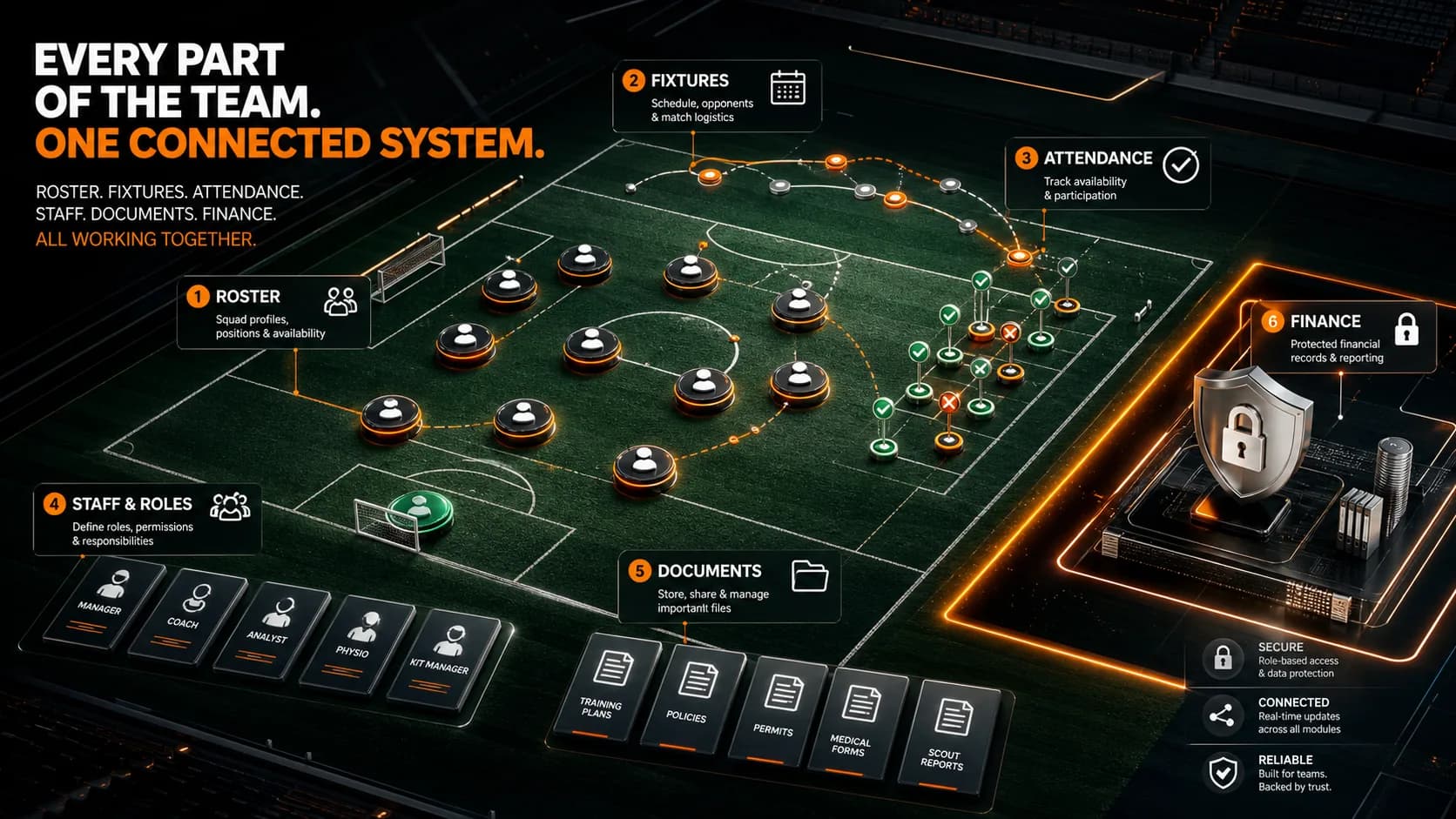
Organize players, availability, schedules, attendance, staff roles, documents, and approved finance records.
8 minute read
Last reviewed August 14, 2026
By Ciptaly Editorial
01 · Foundation
What is it?
A sports team management app should keep verified player profiles, availability, fixtures, attendance, staff responsibilities, documents, and approved financial records together. Start with the team’s repeated operational job instead of copying a fan website or fantasy dashboard.
Public club content and private team operations are different trust zones. Player contacts, salaries, medical information, and internal notes require stricter access than fixtures and announcements.
Do not invent player names, salary amounts, achievements, sponsors, or match results. Use owner-supplied data and safe empty states.
02 · Case study
Worked scenario
A football club separates supporter content from private team operations
A club may want a bold public site and a private workspace in one product. Fixtures and announcements can be public, while player contacts, availability, documents, internal notes, salaries, and expenses require specific access boundaries.
The operational app starts with owner-supplied roster data, training and fixture events, availability, selection, attendance, and staff actions. Finance records remain restricted and evidence-based. No player, result, sponsor, achievement, or salary is invented for the first draft.
The public and private experiences can share verified events or profiles through controlled fields without exposing the underlying operational record. This creates one coherent club system while respecting different audiences and consequences.
Takeaway
One club can have connected public and private products without giving both sides the same data or permissions.
Illustrative worked example. It shows the decision process, not a claimed Ciptaly customer result.
03 · Practical process
How to approach it
- 01
Separate public and private needs
Decide what supporters can see and what only players, coaches, finance, or owners may access.
- 02
Model the roster
Keep identity, role, status, availability, documents, and emergency data limited to necessary users.
- 03
Connect events and attendance
Link training and fixtures to selections, attendance, notes, and follow-up.
- 04
Protect finance records
Restrict salary, allowance, expense, and approval details with evidence and history.
04 · Keep this honest
Quick checklist
- Public/private separation
- Roster access control
- Event attendance
- Finance restrictions
05 · Conclusion
The practical conclusion
Begin with the repeated team operation that causes the most friction. Add public storytelling and sensitive finance capability through deliberate, permission-aware seams.
Use the checklist above to test the first version against one real job. Keep the facts truthful, improve one outcome at a time, and let the product grow from evidence rather than assumptions.
06 · Common questions
What beginners usually ask
Can the app publish a team website too?
Yes. Keep public stories and fixtures connected to—but permission-separated from—the private workspace.
Should medical data be included?
Only with a clear lawful purpose, strict access, suitable security, retention rules, and professional review.